








Download A Dance of Fire and Ice for macOS
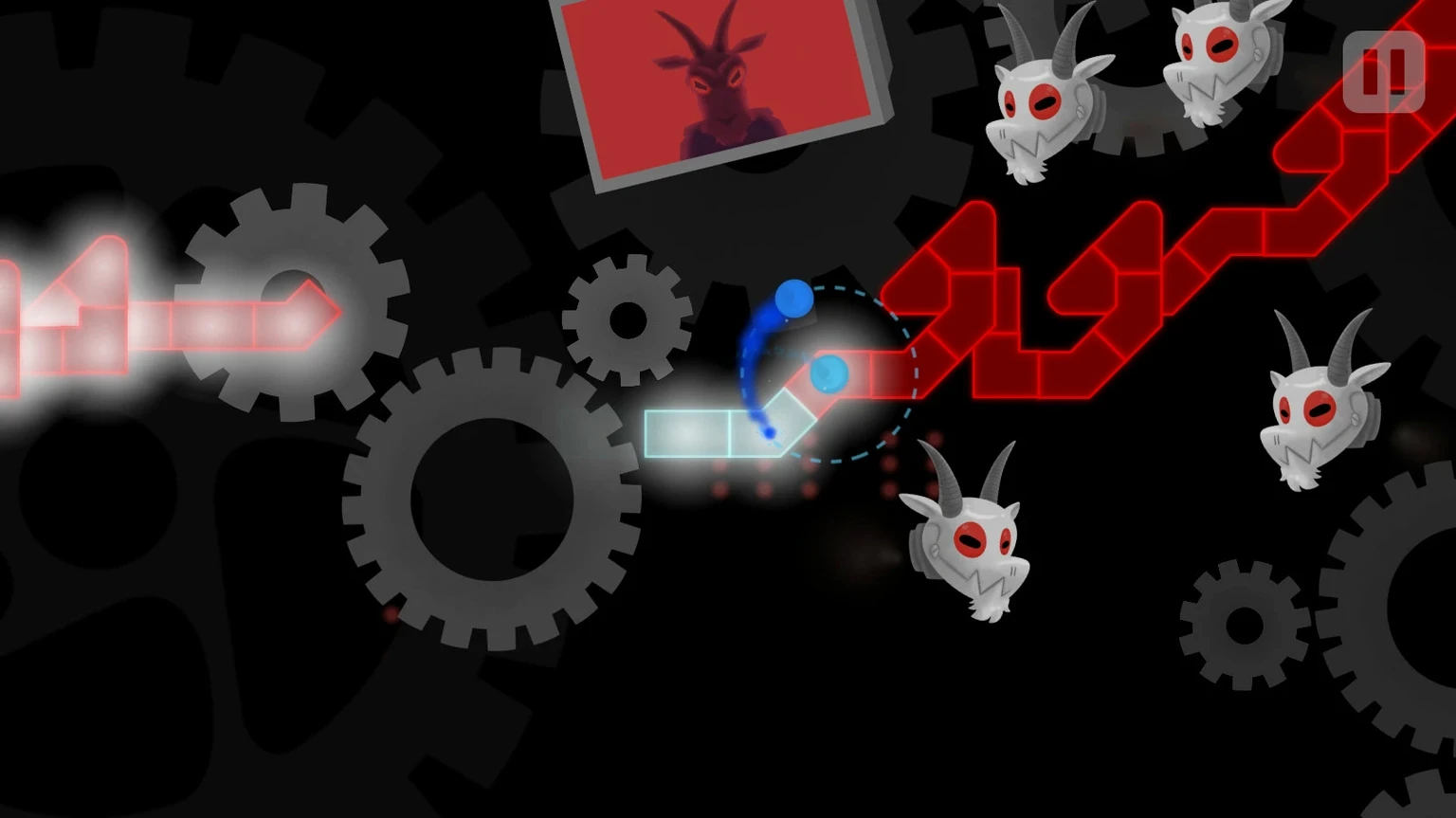
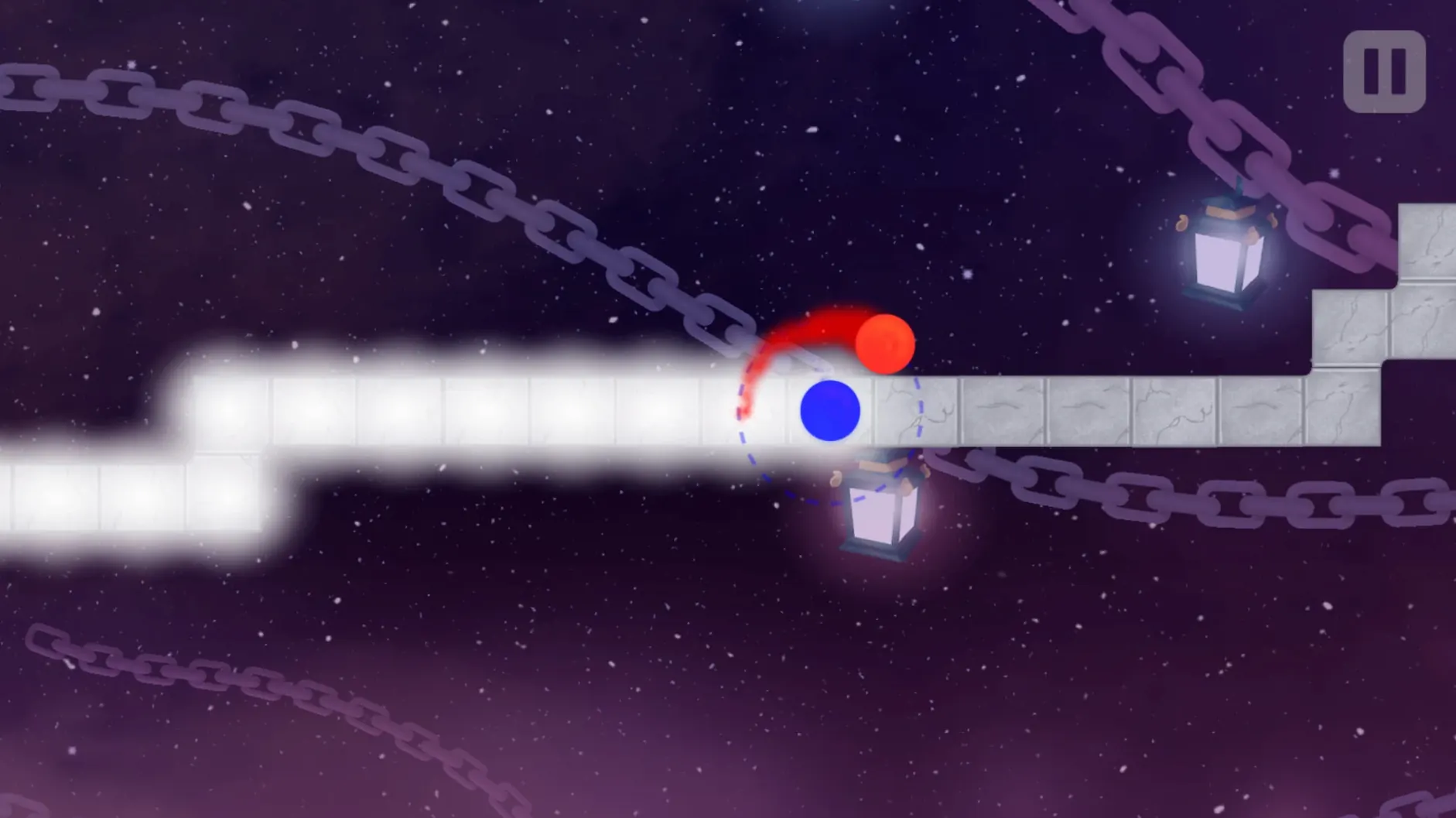
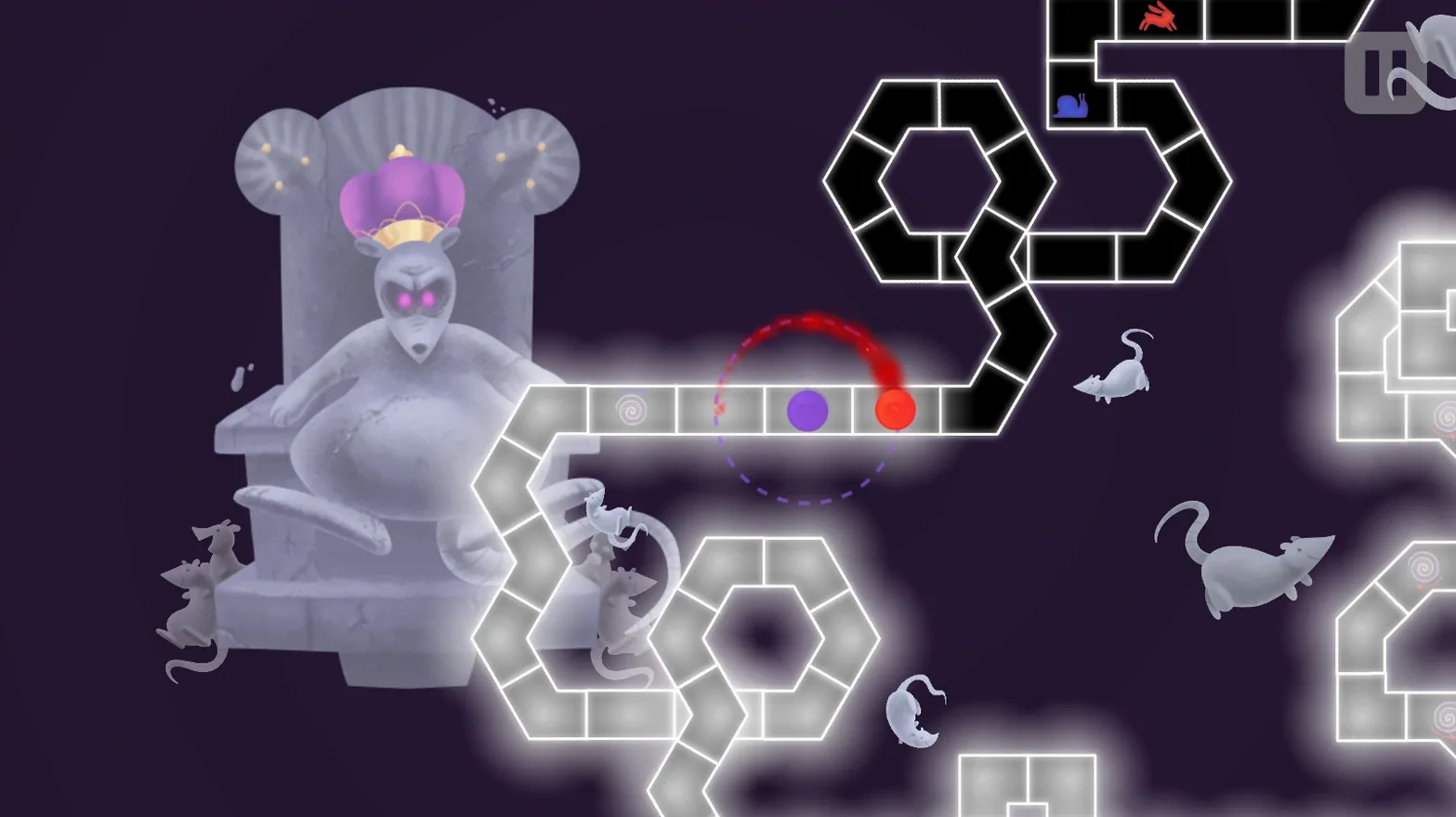
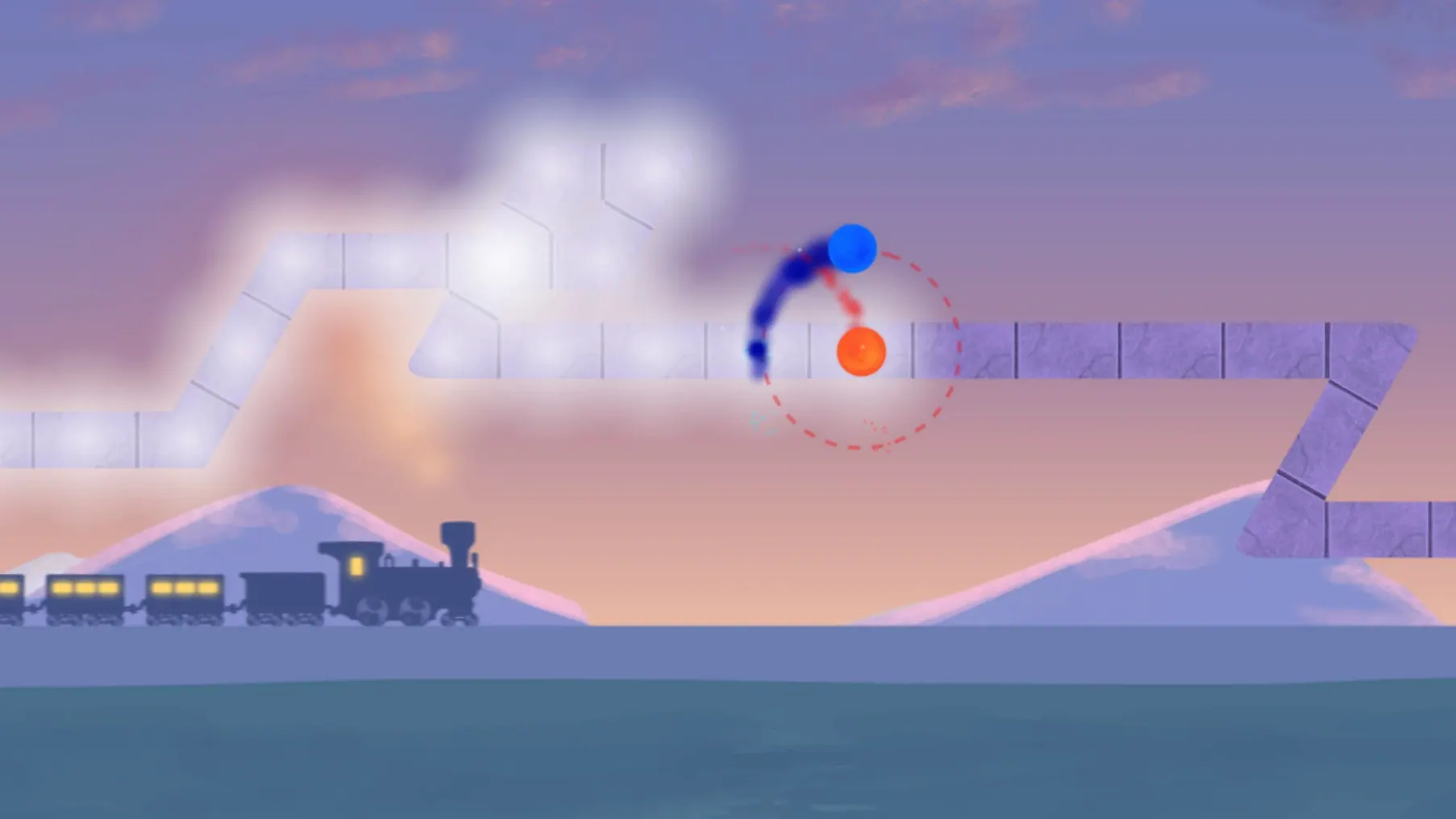
The macOS build runs on both Apple Silicon and 64-bit Intel Macs, tested through to macOS Tahoe. It’s a compact download that opens up a surprisingly deep rhythm challenge built around a single action: pressing a button on the beat.
Two orbiting planets, one tap per beat
At its core, A Dance of Fire and Ice pairs each beat of a track with a tap as you guide two orbiting planets along a winding path. Miss a beat and you’re off — the game demands precision, but manual and automatic calibration tools let you dial in the timing on the fly until it feels right. The included soundtrack spans a mix of original electronic and world-influenced tracks, and Steam Workshop support means the library keeps growing with custom levels from the community. Version 3.3.1 adds a fresh stage called Dramatic Entrance alongside a complete visual rework of the 3-X level, so even returning players have something new to see and hear.
Fifteen languages hide a meditative repetition loop
This isn’t a sprawling rhythm RPG — it’s a focused, almost meditative test of timing that rewards repetition and muscle memory. The interface comes in fifteen languages, which makes it easy to share with friends who don’t play in English. If you like rhythm games that strip away everything except the beat and your reaction time, this one earns its spot on the Mac’s game shelf.
New players often slip up in the same handful of places, and they’re rarely about raw reaction speed. The most common mistake is relying on visual cues instead of listening. The track previews each beat as a glowing marker, but staring at it pulls your taps slightly late — your ears catch the rhythm faster than your eyes ever will. Another early trap is tapping harder when a pattern speeds up. The game reads timing, not pressure, so a tense hand misses more notes than a relaxed one. And plenty of beginners forget the calibration menu exists; a Mac with Bluetooth headphones or an external audio interface rarely syncs perfectly out of the box, so spending thirty seconds on the auto-calibration screen can fix frustration before it starts.
Runs native on M-series, zero Rosetta lag
Does it run natively on Apple Silicon? Yes. The app includes an ARM build, so M-series Macs run it without Rosetta overhead, and it’s been tested smooth on an M4 Mac mini.
Can I use a keyboard, or do I need a controller? A keyboard works perfectly — most players stick to the spacebar or a single key. Any USB or Bluetooth keyboard the Mac recognizes will do the job. External rhythm game controllers play nice too, but they’re purely optional.
How harsh is the difficulty curve? The early levels teach you the language of the game gently, then the back half demands real concentration. It’s less about punishing you and more about asking you to lock into each song’s internal logic. The calibration tools and checkpoint system keep it fair.
What about custom levels — do they work on Mac? Steam Workshop is fully supported on the macOS build. You can browse, subscribe to, and launch community-made tracks without any extra steps, and free level patches add official content over time.
Version 3.3.1 introduces a fresh stage called Dramatic Entrance and gives the 3-X level a full visual facelift.
- macOS tested through macOS Tahoe
- Apple Silicon or 64-bit Intel processor
Questions people ask
Does A Dance of Fire and Ice support custom levels on Mac?
Yes, it supports Steam Workshop custom levels, so you can play community-made tracks alongside the built-in ones.
Can I adjust the timing if the game feels off?
You can use the automatic calibration tool or tweak the manual offset on the fly until the taps land perfectly on the beat.
Also on readers' docks
Sign in or create an account to leave a comment.
No comments yet. Tell me how it got on with your other devices.
More in Games
See all Updated 7 Days To Die
3.3.0.B18 Native Games
16 GB
Updated 7 Days To Die
3.3.0.B18 Native Games
16 GB
 Age of Empires II: Definitive Edition
1.2 Games
75 GB
Age of Empires II: Definitive Edition
1.2 Games
75 GB
 Alien: Isolation
1.0.1 Games
19.3 GB
Alien: Isolation
1.0.1 Games
19.3 GB
 Alto's Odyssey — Remastered
1.1.8 Games
150 MB
Alto's Odyssey — Remastered
1.1.8 Games
150 MB
 Angry Birds Reloaded
4.2 Games
431 MB
Angry Birds Reloaded
4.2 Games
431 MB
 Assassin's Creed Revelations
1.03 Games
6.4 GB
Assassin's Creed Revelations
1.03 Games
6.4 GB
 Assassin's Creed Shadows
1.0.35 Games
145 GB
Assassin's Creed Shadows
1.0.35 Games
145 GB
 BAD END THEATER
1.6.5 Games
90 MB
BAD END THEATER
1.6.5 Games
90 MB