
Download macOS Catalina for macOS
macOS Catalina is the 64-bit Intel release that split iTunes into dedicated apps and brought the iPad closer to the Mac with Sidecar.
Sidecar, Finder Sync, and the 12.5 GB Upgrade Path
- Macs with 4 GB of memory or more and at least 12.5 GB of free storage for the upgrade
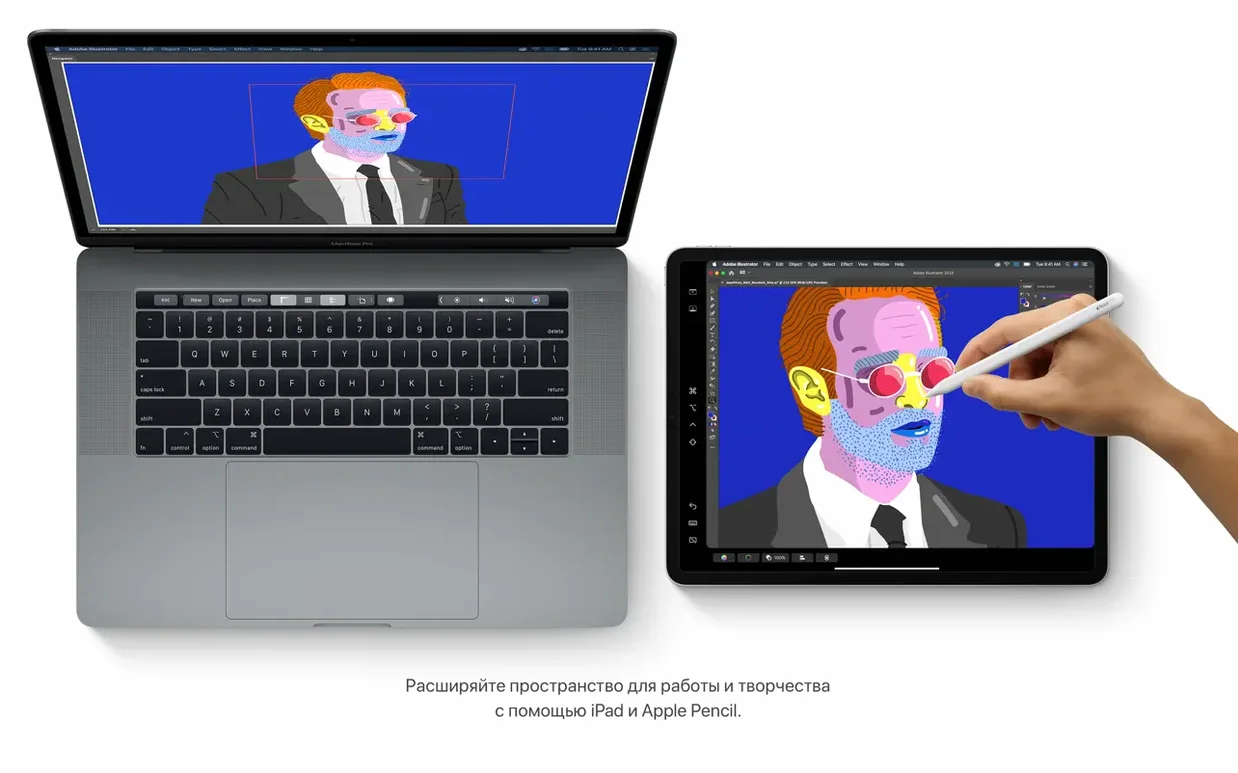
- Turning a nearby iPad into a second display through Sidecar
- Finder-based iPhone and iPad sync, with a backup workflow that keeps things local
- Finding scanned documents and objects in photos with the updated Notes search and gallery view
No Apple Silicon Support and the New Media App Trio
- Runs only on Intel 64-bit hardware—no Apple Silicon or PowerPC support
- A broadband connection is needed for several built-in features
- The three new media apps (Music, TV, Podcasts) replace iTunes, so the old library workflow changes
A freelancer’s afternoon with Voice Control
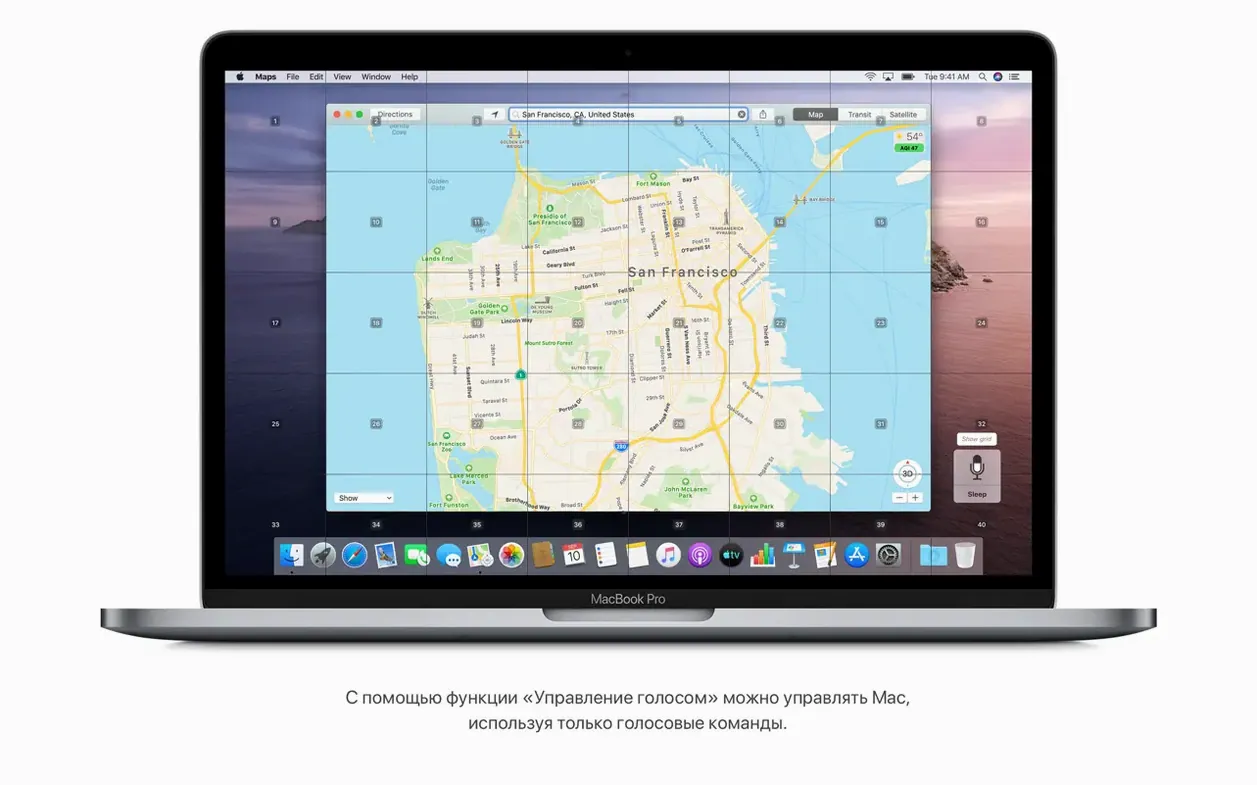
Picture a freelance illustrator who broke her wrist right before a deadline. Her MacBook Pro from mid-2014 is still kicking, and Catalina’s Voice Control gets her back to work without touching the trackpad. She speaks her way through Finder, dictates messages, and even nudges the pointer with numbered labels that appear over every clickable element. It’s not just an accessibility checkbox — it’s a full-on productivity layer for anyone whose hands are occupied or hurting.
The speech recognition feels surprisingly responsive on older Intel hardware, and the “show numbers” command turns the whole interface into a voice-navigable grid. She can open layered Photoshop alternatives, browse the Finder, and pull reference images from a connected iPhone — all by talking. It’s the kind of quiet magic that gets overlooked until you need it.
An Afternoon with Sidecar and Finder iPad Sync
Let’s walk through a typical afternoon with Sidecar, the Finder sync workflow, and one of those small quality-of-life touches Catalina added.
- Set up the workspace. Grab an iPad (any model that supports Apple Pencil is ideal), plug it in or hop onto the same Wi-Fi network, then click the AirPlay icon in the menu bar. Choose your iPad and Catalina extends the desktop within seconds. Drag a reference board or a Messages window over there to keep the main screen clear.
- Pull media off an iPhone. Connect the phone via USB. Open a Finder window and select the iPhone in the sidebar — right there under Locations. The tabs for Music, Movies, TV Shows, and Files replace what used to live inside iTunes. Drag a recorded voice memo or a fresh batch of photos straight to a project folder.
- Organize project notes. Open Notes and switch to gallery view so every scanned sketch and clipped receipt shows as a thumbnail. Search for “draft” and watch Catalina spot that word inside a handwritten scan. Drag a flagged reminder onto the desktop to create a quick text clipping — still one of the Finder’s unsung tricks.
- Wrap up with a local backup. In that same Finder sidebar, click “Back up all of the data on your iPhone to this Mac.” Encrypt it if passwords matter, then let it run while grabbing coffee. No iCloud required for this step.
Flagged Reminders, Attachments, and Other Hidden Touches
Catalina is packed with things that don’t make headlines but change how you move around the system. A few of my favorites:
- Reminders attachments and flagged items. The new editing controls let you attach a file, set a location-based ping, and add a flag — all from a single row of buttons above the keyboard. Siri picks up on “remind me about this” in apps like Safari, too.
- Safari’s start-page sections. The redesigned start page pulls from iCloud tabs, Reading List, and links shared in Messages. You can reorder or hide each section right from the gear icon at the bottom. Great for jumping back into research across devices without opening History.
- Quick Look in Notes. Gallery view plus Quick Look (tap the spacebar on a thumbnail) means you skim visual notes the way you preview Finder files. It respects multi-page scanned PDFs, too.
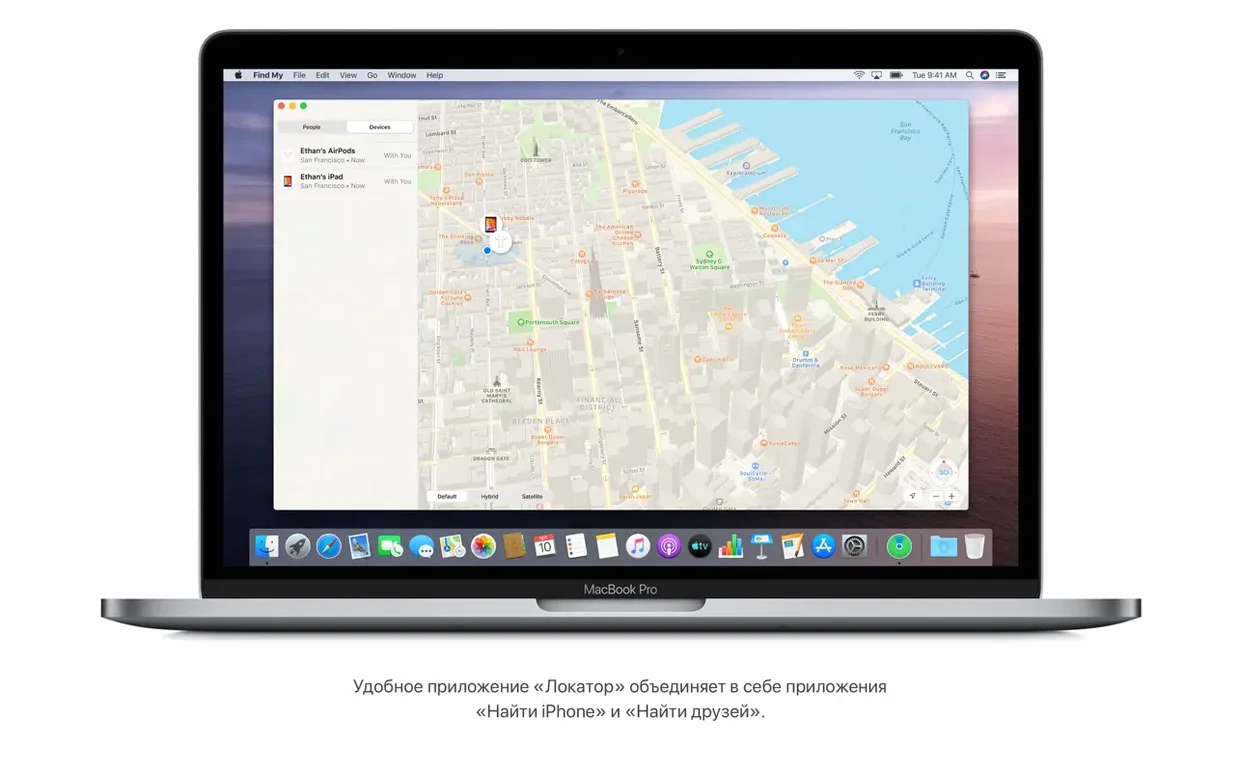
- “Find My” offline locating. The Find My app can leverage Bluetooth from other Apple devices to help locate a Mac even when it’s asleep and not on Wi-Fi. It’s not a guarantee, but it’s quietly working in the background once enabled.
How Catalina shakes hands with other apps
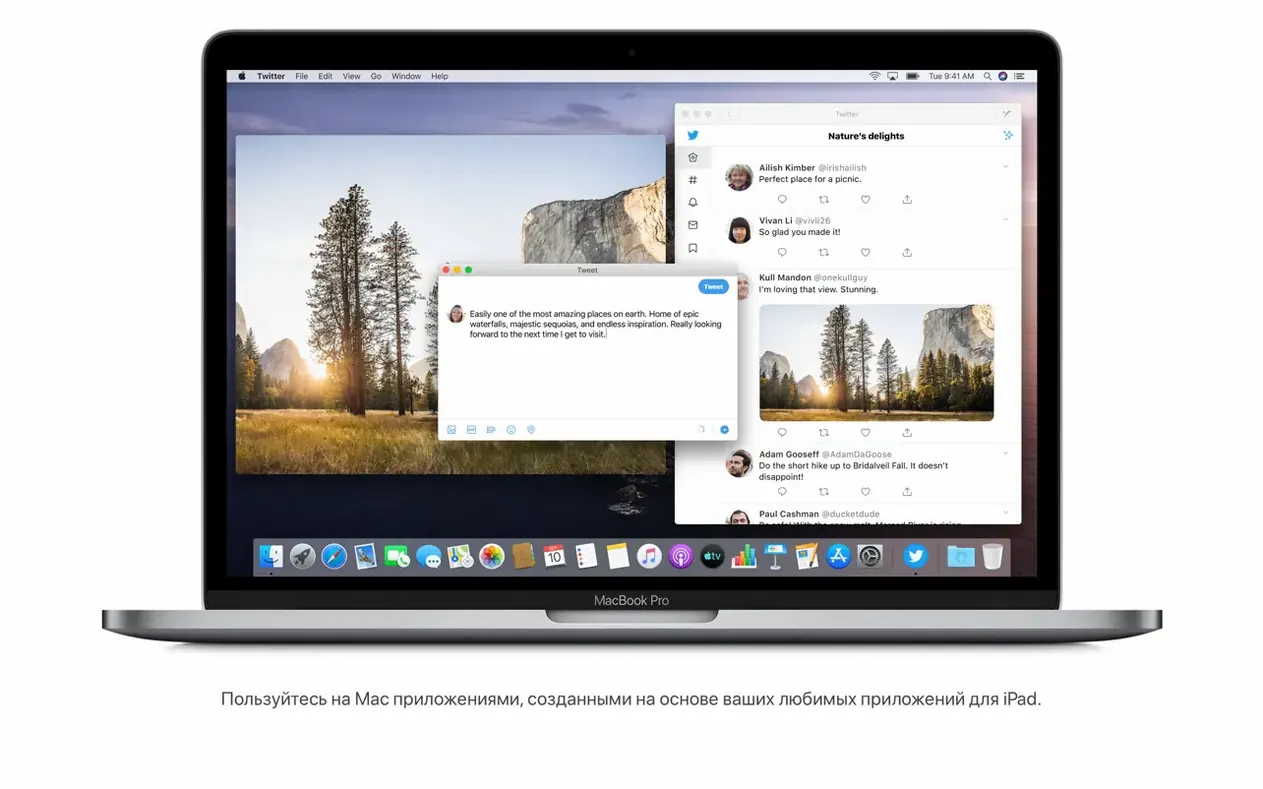
The iPad apps on Mac initiative opened a door that not enough people walked through, but the ones that did felt native. Think of a lightweight iPad sketching app sitting in the Dock, sharing files through the same iCloud Drive folder your Mac apps use. Drag a PNG from Finder into that iPad-originated app and it just opens — no import wizard, no format dance.
Sidecar works hand-in-glove with Continuity Sketch and Markup. From a Finder window, select an image, hit the spacebar, click the markup icon, and choose “Add Sketch” to draw on the iPad. The result pops right back onto the Mac. This kind of back-and-forth blurs the line between the two devices without any third-party tool — it’s the kind of ecosystem glue that makes a mid-2012 MacBook Pro still feel relevant.
For developers who keep a test machine around, the macos catalina download dmg approach is still a common starting point. Whether it’s a macos catalina torrent pulled from an archive or a mac os catalina torrent grabbed for a VM, the disk-image route into the Applications folder remains the same. Some folks search for a catalina torrent when they need to rebuild a specific Intel-only test bed, and torrent mac catalina queries pop up in forums where older hardware still rules. The installer's predictability is part of the appeal — open the DMG, copy the app, and run it.
Notes talks to Reminders via shared links, Reminders pings you when you arrive somewhere, and Find My quietly watches over the machine. It’s not flashy, but Catalina’s strength is how the pieces fit together when you stop thinking about them as separate apps.
Version 10.15.7 is a maintenance release focused on stability:
- Important security updates and bug fixes
- Resolves an issue where macOS would not automatically connect to Wi-Fi networks
- Fixes a bug that could prevent files syncing through iCloud Drive
- Addresses a graphics issue on the iMac (Retina 5K, 27-inch, 2020) with Radeon Pro 5700 XT
- Architecture: Intel 64-bit
- Memory: 4 GB
- Storage: 12.5 GB available for upgrade (from OS X El Capitan 10.11.5 or later)
- macOS 10.9 or newer to run the installer
Questions people ask
What Mac models are compatible with macOS Catalina?
It works on Intel 64-bit Macs with at least 4 GB of memory and 12.5 GB of available storage when upgrading from OS X El Capitan 10.11.5 or later.
Does the 10.15.7 update add new features?
Version 10.15.7 delivers important security updates and bug fixes, including a Wi-Fi auto-connect repair and an iCloud Drive syncing fix.
Also on readers' docks
Sign in or create an account to leave a comment.
No comments yet. Tell me how it got on with your other devices.