









Download inZOI for macOS
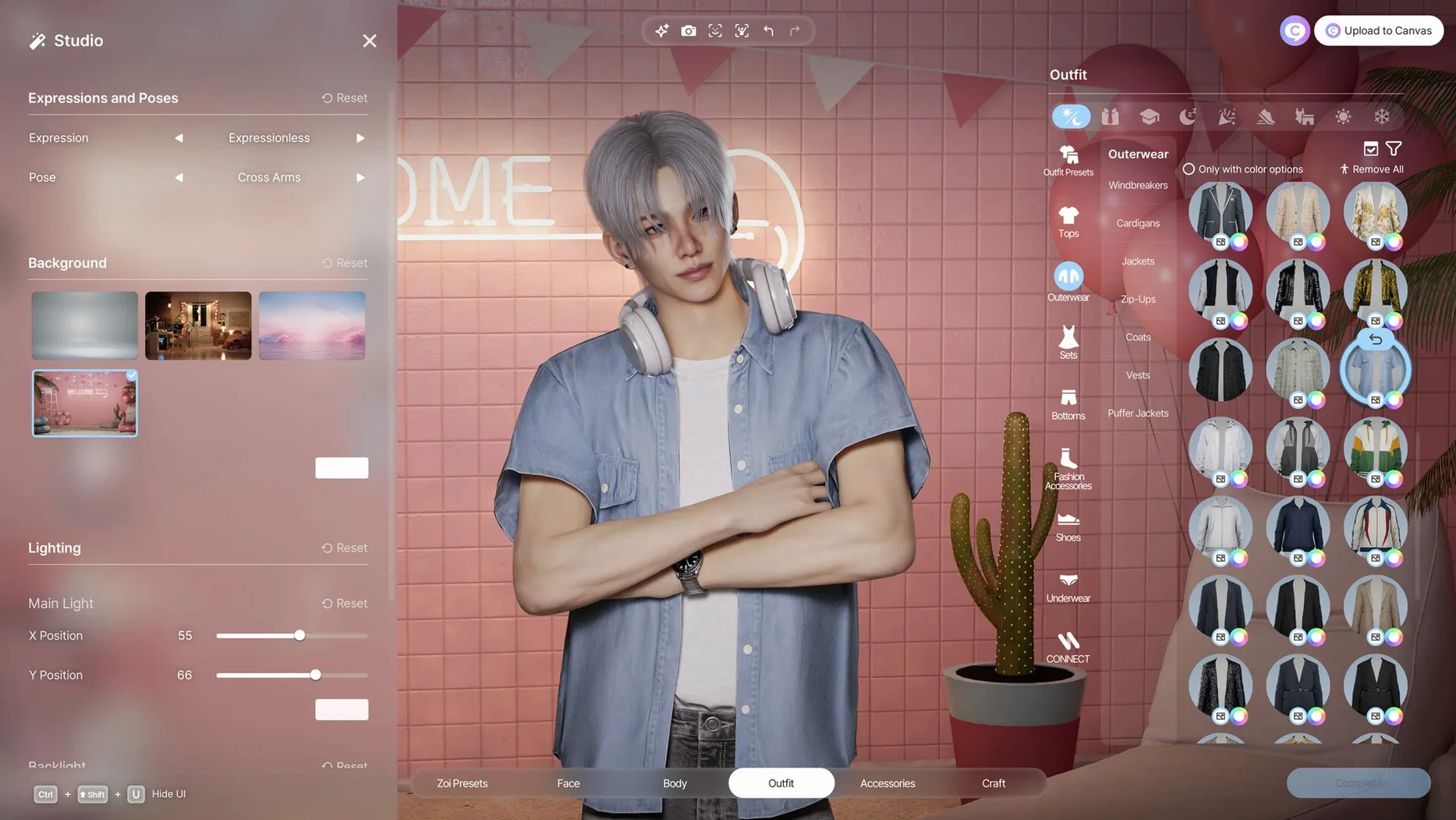



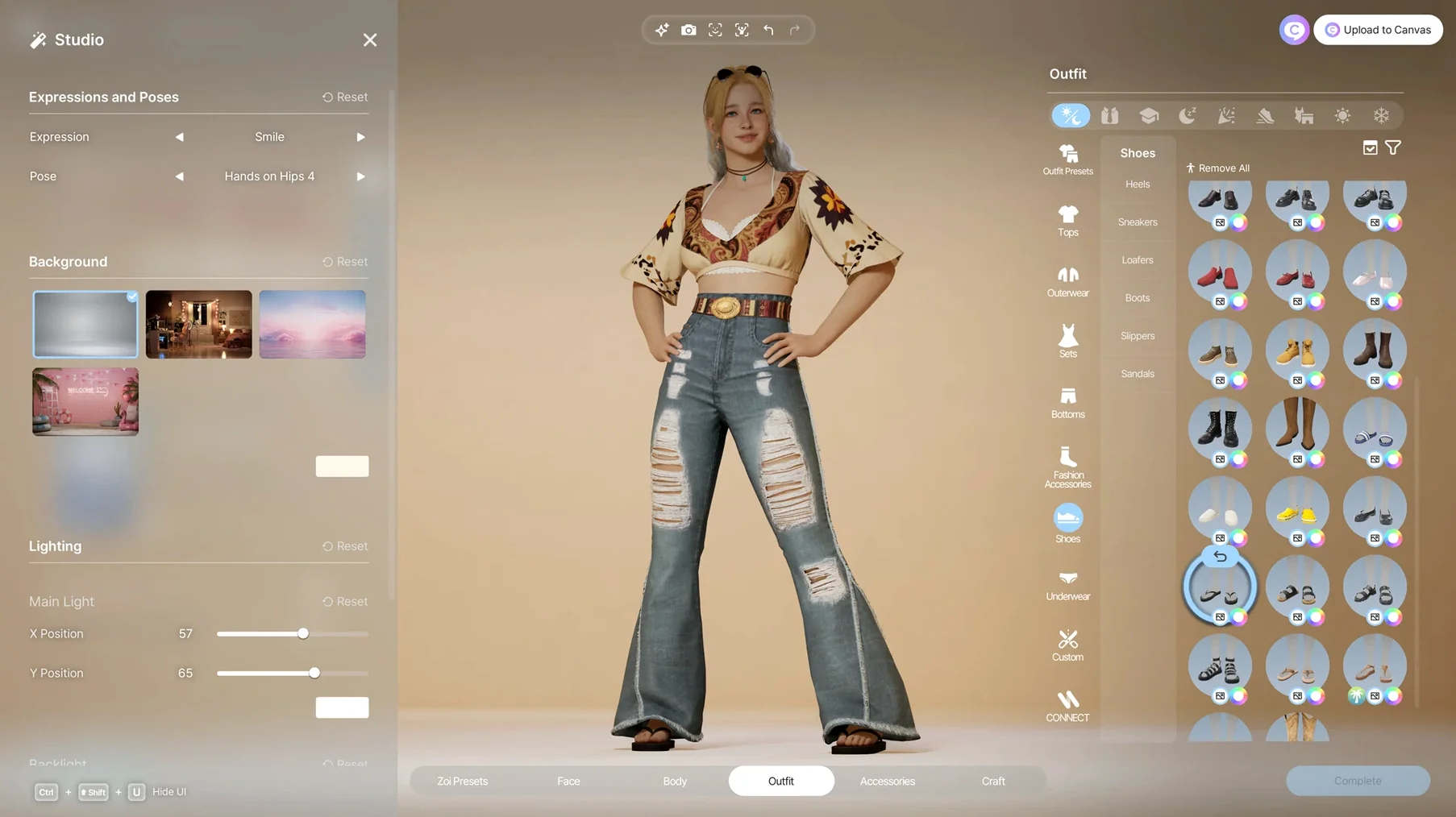
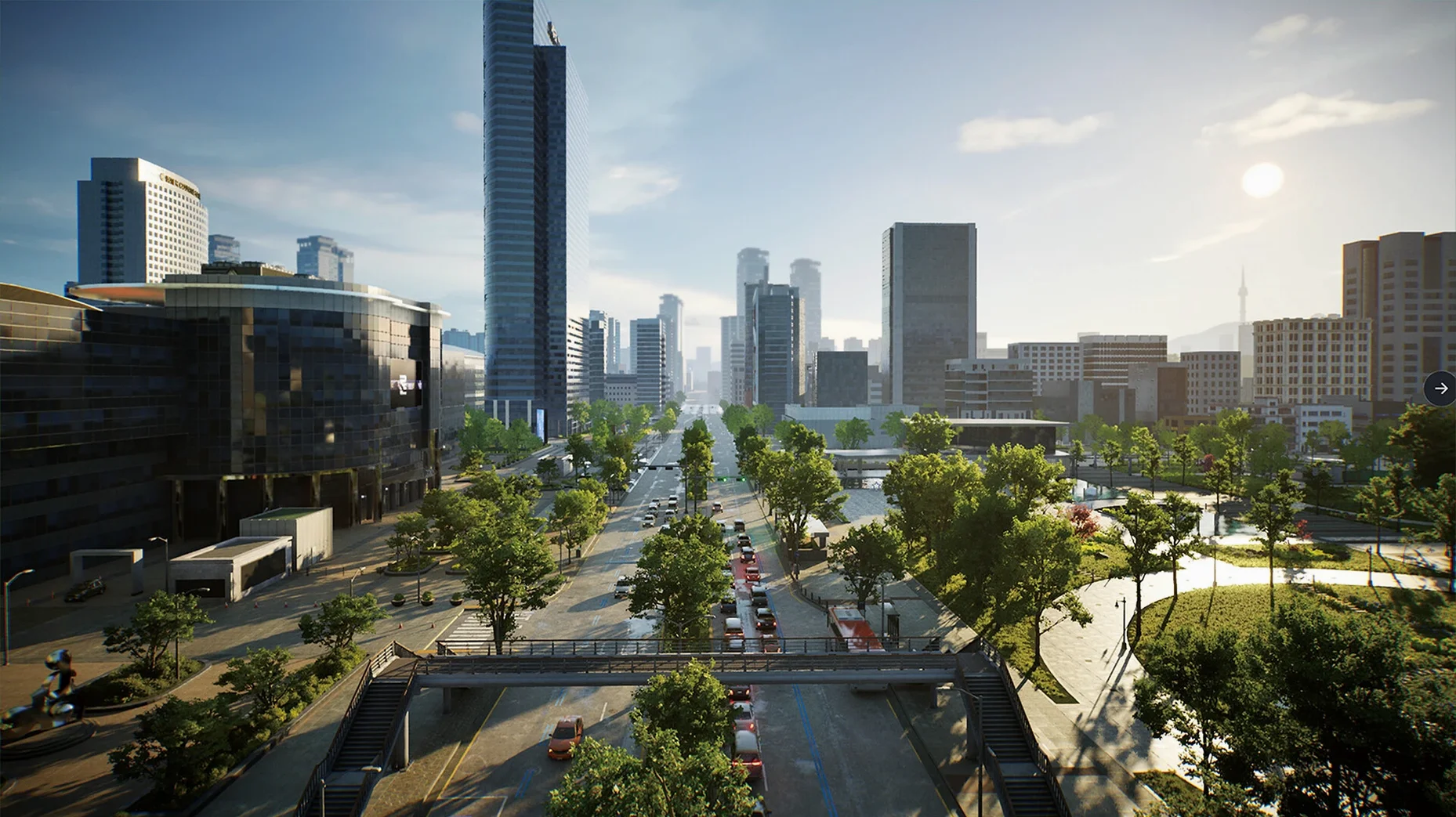


Over 250 customization options await in the character creator alone, not counting the furniture, architectural pieces, and city blocks you can reshape. inZOI is a life simulation game that puts you in the role of a creator, building communities modeled after real places while managing everything from weather patterns to neighborhood trends. Facial capture and motion capture are baked right in, so your characters move and express themselves with more nuance than you might expect from the genre.
Before you get attached to your custom world, let's talk compatibility. inZOI runs on macOS Tahoe and requires Apple Silicon — Intel Macs are out of luck here. The developers optimized the game specifically for M-series chips, which makes sense given the simulation depth. You are not just decorating a house; you are running a fully functional community where rumors spread, diseases can pop up, and trends shift based on what your simulated citizens do. That kind of processing benefits from Apple's modern architecture.
What do you actually get to play with? Building tools let you drag in walls, roofs, stairs, fences, platforms, and gates. Interior decoration covers furniture and décor you can swap out anytime. Outside, you control weather, adjust lots, and redesign streets. One clever trick: you can turn 2D models into in-game 3D objects, which opens up a lot of creative potential if you enjoy importing your own designs. The six city templates draw from real-world locations, giving each save file a distinct feel without forcing you to start from a blank slate.
If you enjoy sandbox creativity mixed with unpredictable simulation events — where a disease outbreak or a viral trend can flip your carefully planned neighborhood upside down — inZOI rewards that kind of play. It is a builder's sandbox with consequences, and on Apple Silicon it has the hardware room to breathe.
Letting a Community Settle Before Remodeling
Jumping straight into city-wide remodeling before letting a community settle is the big one. The simulation needs a few in-game days to establish relationships, gossip chains, and economic rhythms. Plow down half the residential lots on day one and you will see Zois standing around confused, unable to form the social webs that drive everything else. Give your first neighborhood at least a week of hands-off observation before you touch the bulldozer.
Another common slip: ignoring personality trait combinations. Slapping random traits onto Zois because the icons look cute leads to households where nobody talks to anybody. A shy, bookish character paired with a loud, confrontational one without any bridging trait creates dead air. The relationship engine runs on compatibility, and you feel that silence when two Zois share a kitchen but never interact. Spend five minutes in the trait screen reading the descriptions before you commit.
New players also tend to overlook the generative AI clothing patterns as a gimmick and skip them entirely. That is a missed opportunity. The text-to-pattern tool produces genuinely usable results once you learn a few prompt tricks — short, literal phrases work better than flowery descriptions. "Plaid wool scarf autumn tones" gets you something wearable; "a beautiful scarf that feels like a warm hug on a crisp October morning" gives you visual noise. Start simple, then iterate.
Lighting Your Face for Better Expression Capture
The facial capture feature trips people up most often. If your Zoi's expressions look stiff or glitchy, check your lighting before you blame the software. The capture system relies on decent, even front-facing light — sitting in a dark room with only the screen glow will produce janky results. A desk lamp pointed at your face, not the wall behind you, fixes most tracking wobbles.
Motion capture from uploaded videos has its own quirks. Videos shot at odd angles or with multiple people in frame confuse the converter. Stick to single-subject clips filmed straight-on at eye level, and keep the background plain. Busy wallpaper or a cluttered bookshelf behind you can inject strange twitches into your character's walk cycle that are hard to scrub out later.
On the building side, fences and platforms sometimes refuse to snap where you expect. This is usually a terrain height mismatch, not a bug. Flatten the lot with the terrain tool before placing structural elements, especially on hillside plots where even a tiny grade difference breaks the snapping logic. The undo button is your friend here — try small adjustments rather than deleting everything and starting over.
If the app refuses to launch after dragging it into Applications, do not panic and re-download. Open Privacy & Security in System Settings and look for the prompt about an unidentified developer. One click there beats a fresh copy every time. For stubborn cases, the Terminal commands listed in the disk image notes will sort it out in seconds.
M4 Mac Mini Performance Across Modes
On an M4 Mac mini with 16 GB of unified memory, inZOI settles into a comfortable rhythm. Character creation flies — all those customization sliders respond instantly, and the 3D preview rotates without a stutter. Loading a saved city takes about twelve seconds from click to playable, and the simulation clock runs smoothly at the default speed setting. Cranking it to triple-speed does introduce occasional micro-pauses when a major event fires, like a disease outbreak recalculating across dozens of Zois simultaneously.
Memory pressure stays moderate during normal play, hovering around 6 to 8 GB of RAM usage for a medium-sized neighborhood with fifteen to twenty active Zois. The generative AI features spike that temporarily — generating a clothing pattern from a text prompt adds a brief 1 to 2 GB bump that settles back down within seconds. You will not feel it unless you are running other heavy apps alongside, but closing your browser before a long building session is a sensible habit.
Stability has been solid across multi-hour sessions. One crash occurred after rapidly switching between the city editor and a Zoi household five times in quick succession, which feels less like a random bug and more like the simulation struggling to swap contexts that fast. Slowing down your workflow avoids it entirely. Autosave triggers every fifteen minutes by default, and the game keeps your last three autosaves, so even if something goes sideways you lose very little.
Thermals are worth mentioning. The Mac mini's fan stays quiet during character creation and light building, but extended sessions with weather effects toggled on and a full city simulation running will spin it up audibly after about forty minutes. It is not distracting — more of a soft whoosh than a jet engine — but if you are sensitive to fan noise, dropping the weather particle quality down a notch keeps things cooler. Some players hunting for an inzoi mac download on older M1 or M2 machines should feel confident; the optimization scales well backward through the Apple Silicon lineup.
- Apple Silicon Mac
- macOS version not specified — check the developer's notes for the minimum supported release
Also on readers' docks
Sign in or create an account to leave a comment.
No comments yet. Tell me how it got on with your other devices.
More in Games
See all Updated Invincible VS
Build 25514999 Wine Games
10 GB
Updated Invincible VS
Build 25514999 Wine Games
10 GB
 Is this Game Trying to Kill Me?
1.0.11 Games
1 GB
Is this Game Trying to Kill Me?
1.0.11 Games
1 GB
 Updated Into the Dead: Our Darkest Days
0.18.1 Native Games
5.8 GB
Updated Into the Dead: Our Darkest Days
0.18.1 Native Games
5.8 GB
 INSIDE
1.0.5 Games
1.3 GB
INSIDE
1.0.5 Games
1.3 GB
 Inkulinati
1.48.1.1 Games
1.3 GB
Inkulinati
1.48.1.1 Games
1.3 GB
 InfraSpace
1.56.460 Games
3 GB
InfraSpace
1.56.460 Games
3 GB
 Jackal
1.0.1 Games
1.2 GB
Jackal
1.0.1 Games
1.2 GB
 Updated HUMANKIND
1.31.4851 Native Games
17 GB
Updated HUMANKIND
1.31.4851 Native Games
17 GB